
This is the tenth original article on aogl.cn, sourced from original/in-car-view/. The folder documents a high-speed train window scenery study: lock a modern second-class carriage interior (seats, tray tables, power outlets, window proportions), drop interchangeable alpine meadow plates behind the glass, then export MP4s to see whether motion blur and a small speed HUD still read as a real passenger view. It is not an official rail promo and not a step-by-step tutorial for any one editing app—only filenames, layering choices, and how I decide a composite is “good enough.”
What is in the folder
Train-window.png— interior template with pure black window panes as placeholders for exterior platesTrain-window-all.png— finished still: template plus one meadow + snow-peak exteriorscenery-1.pngthroughscenery-4.png— four horizontal landscape plates, each with strong foreground motion blur suggesting high speedviedo.mp4— main composite recording (filename spelling kept as in the repo)exercise-video1.mp4,exercise-video3.mp4,exercise-video4.mp4— three export iterations comparing frame edges and exposure
Headings and captions use honest search phrases: train window view, high-speed rail scenery, in-car landscape composite, passenger POV video—tied to what is actually on disk, not keyword stuffing.
Why a train window instead of aerial panoramas
The site already hosts an apartment 360° still + recording pack (interior equirectangular) and an exterior 3D Earth demo. This article fills a travel framing gap: the viewer sits in a fixed seat while the world moves outside a rigid frame. Psychologically, black glass or streaked grass reads as “I am moving” faster than a full-bleed landscape with no cabin context.
I kept the cabin deliberately clean—cool white-grey panels, blue fabric seats, fold-down trays, Chinese-style outlets—not to sell tickets, but to stress-test swaps: when scenery-2 replaces scenery-1, do seat highlights and glass thickness still feel like one shoot?
Template: Train-window.png
A large center pane plus slivers of side windows matches a frontal gaze with peripheral vision. Black panes mark the only regions I replace; painting scenery over tray tables would break perspective. A small overlay reads Speed: 300 km/h—a symbolic speed cue for thumbnails, not a claim about any real timetable. Forks for documentary use should replace it with verifiable data or remove it.
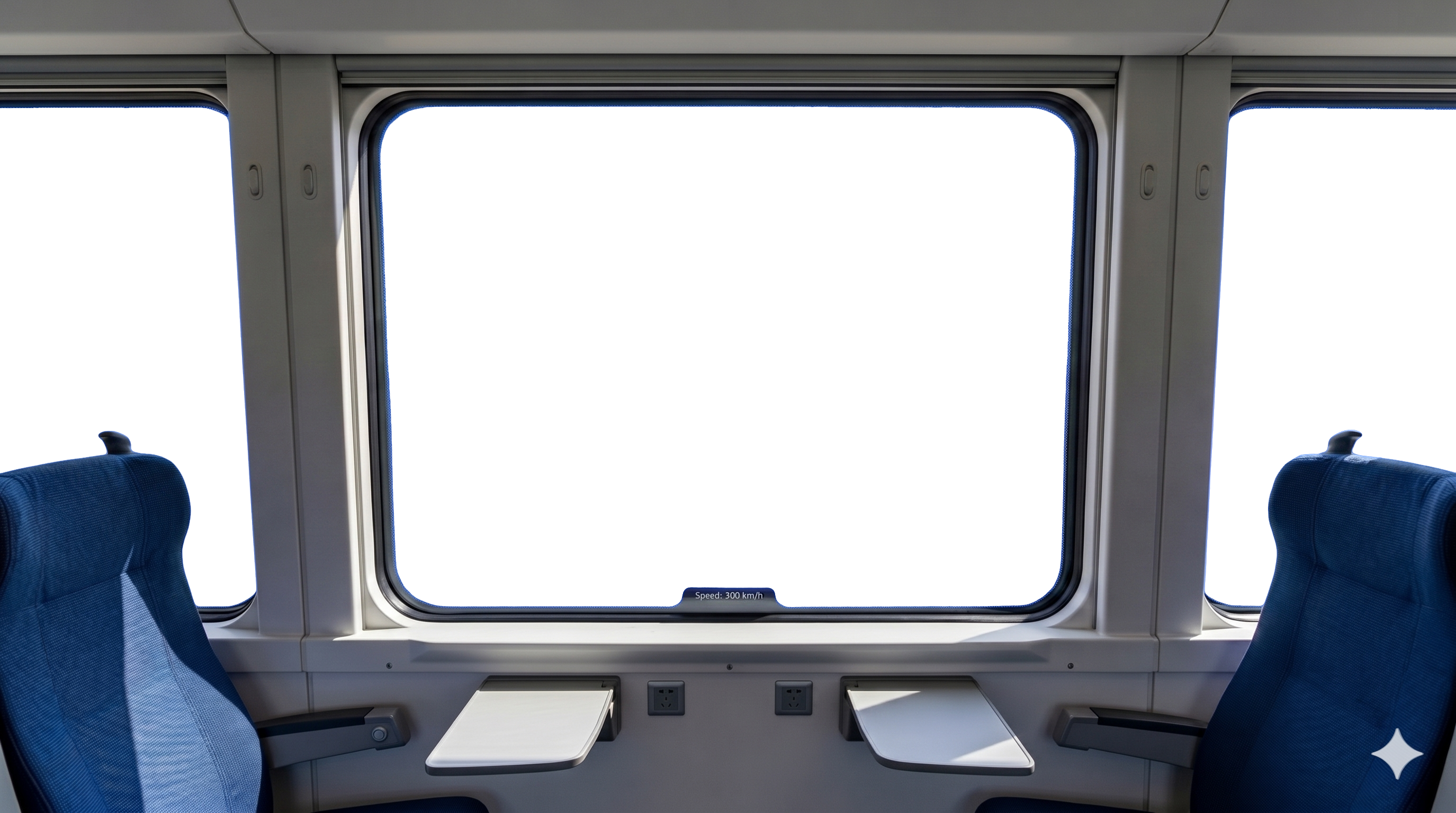
Train-window.png — locked interior; three panes are composite targets.Four scenery plates: what changes between files
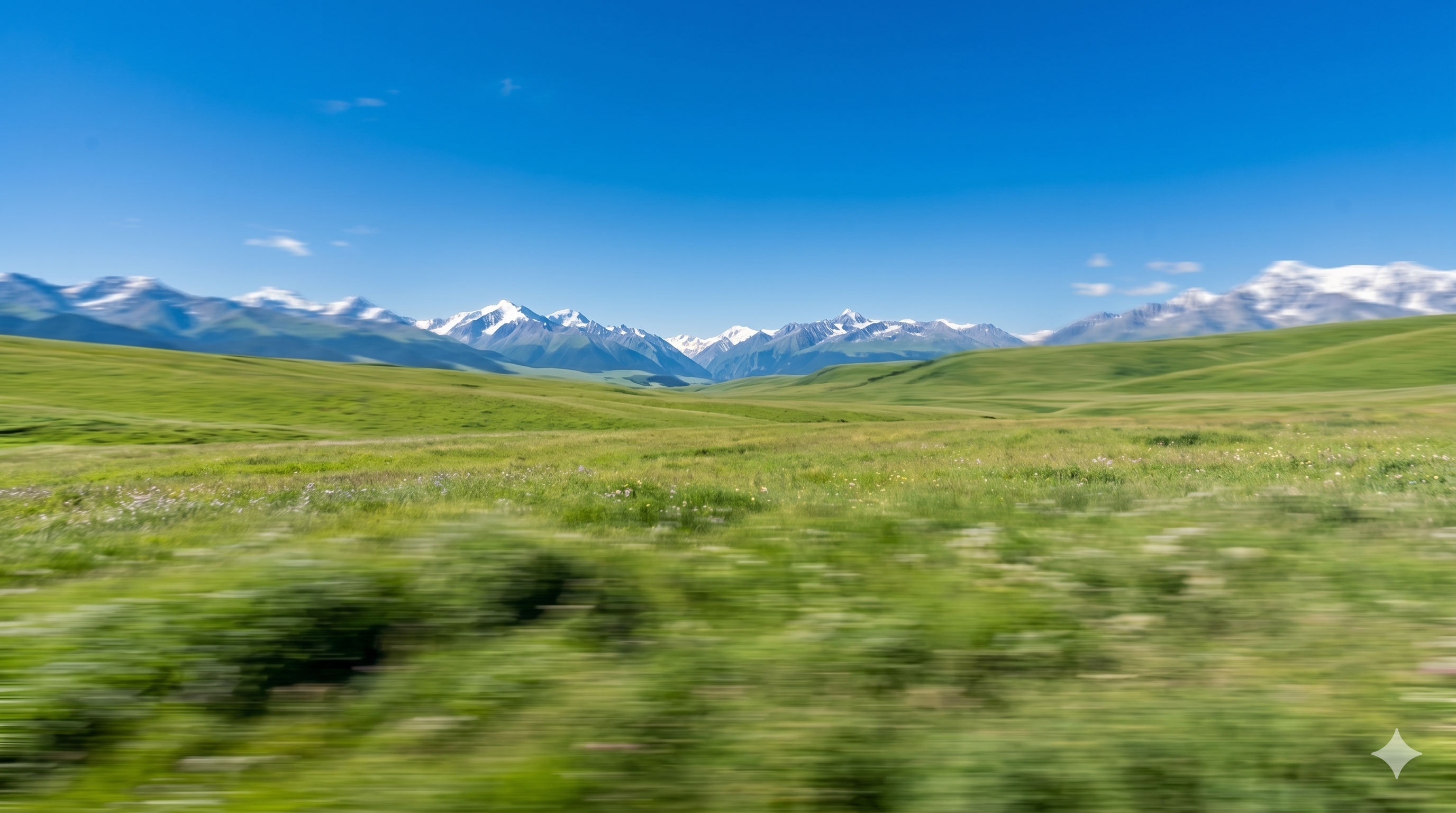
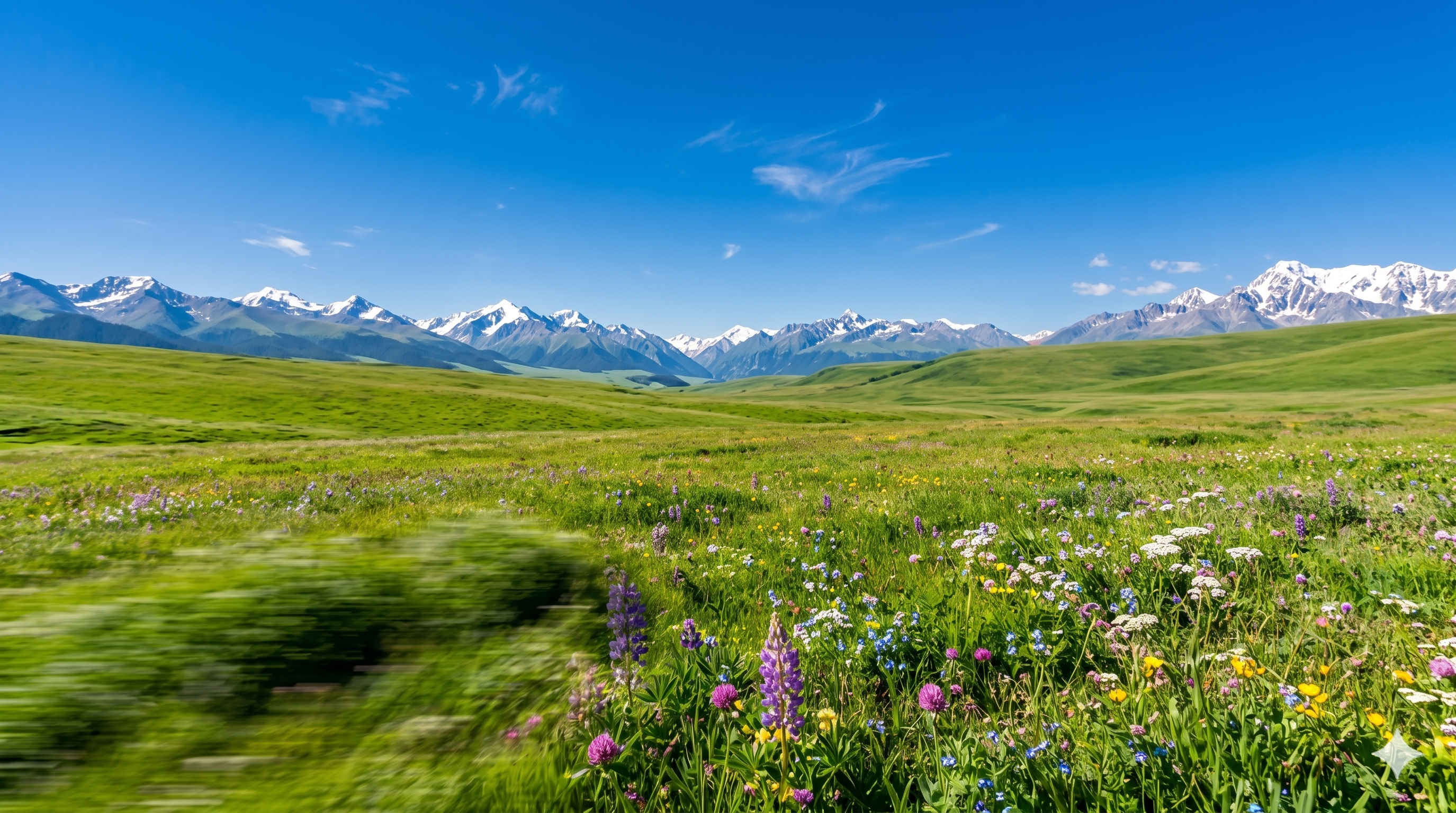
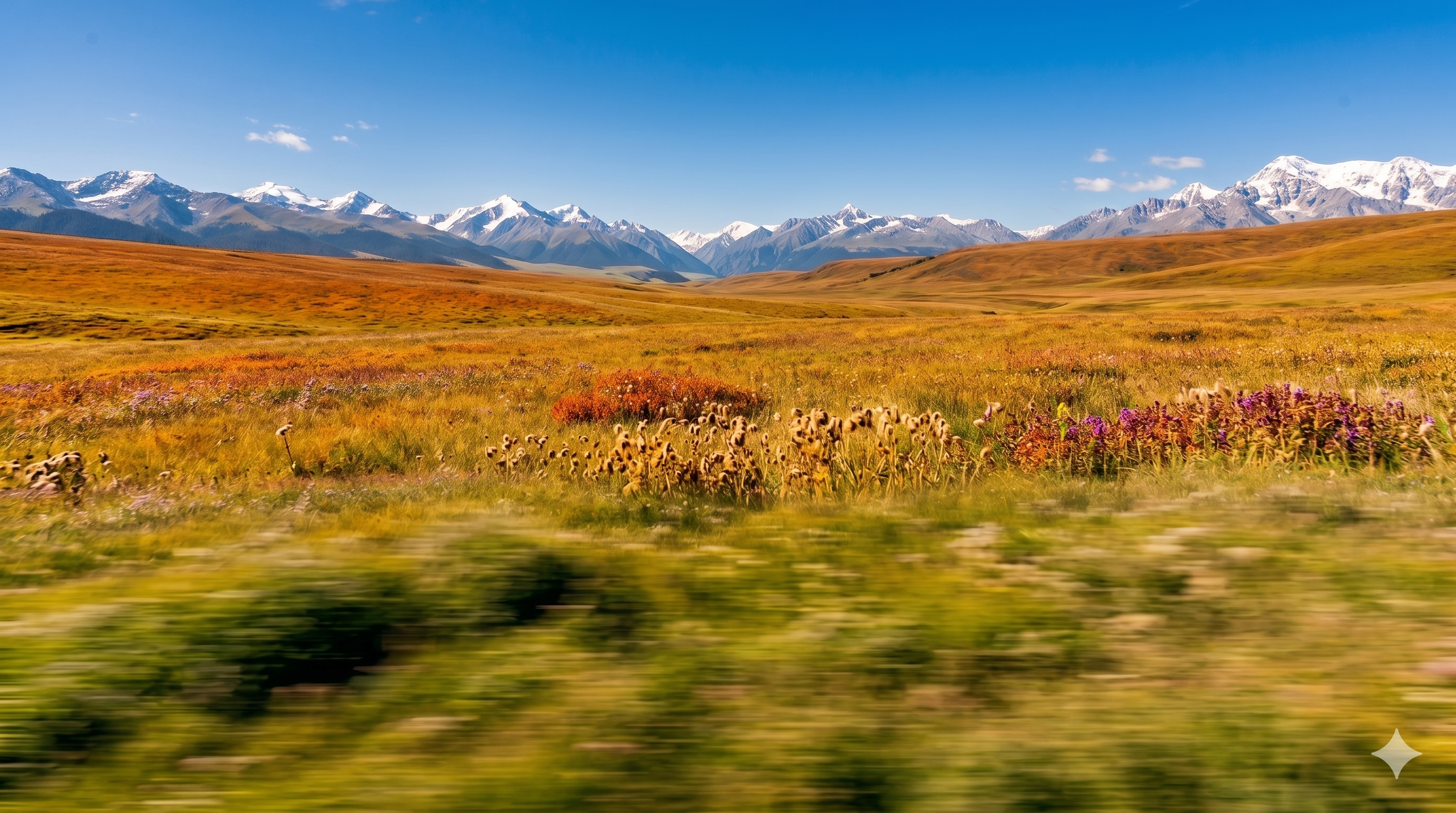
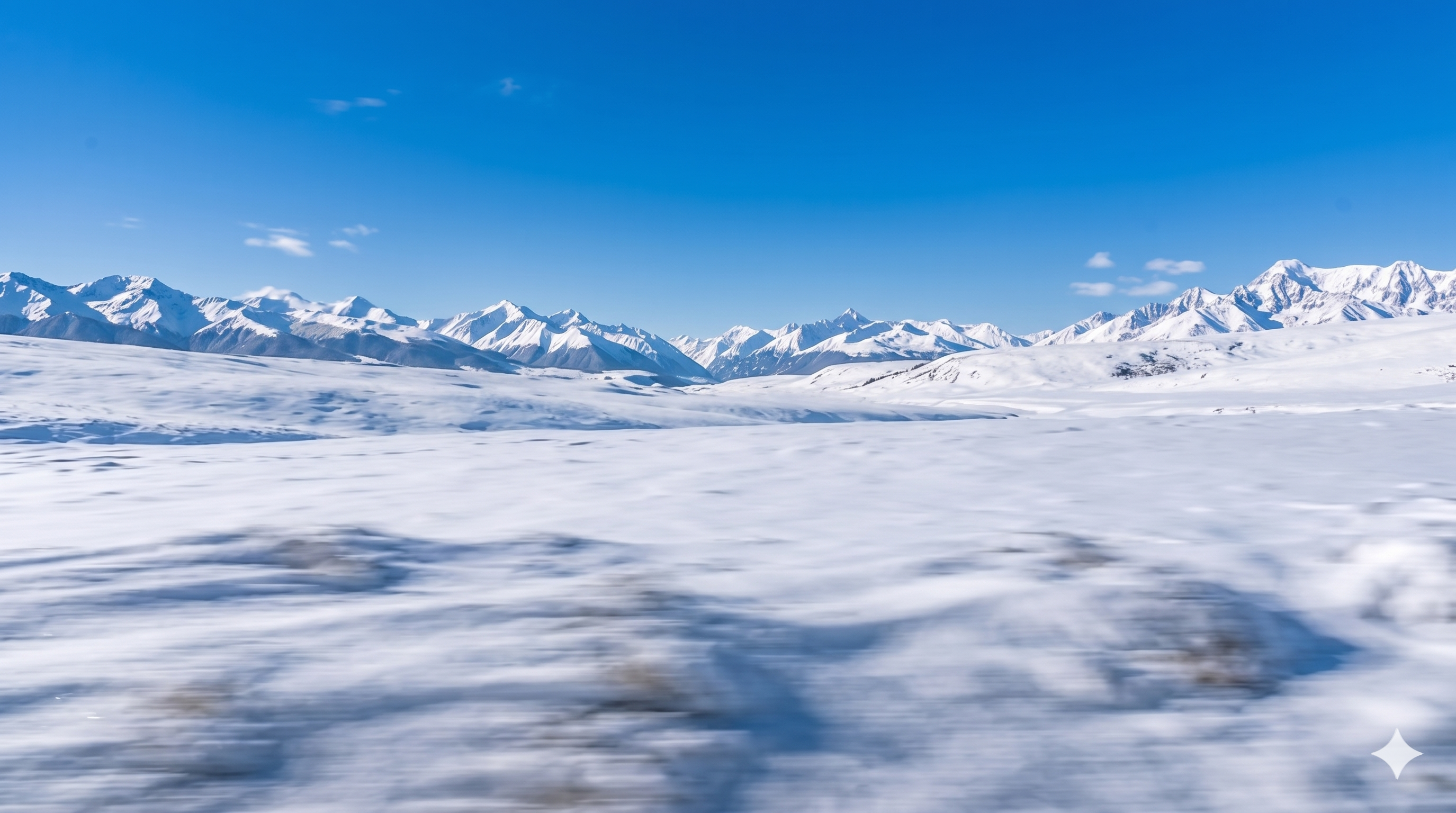
All four are wide horizontal plates: blurred grass in the near field, sharper snow peaks and deep blue sky farther away—mimicking how eyes fail to freeze foreground detail at rail speed. Differences are mood and vegetation density:
- scenery-1 — cooler greens, crisp snow line, “early run” lighting
- scenery-2 — more wildflowers (purple spikes, pink clusters), softer mid-ground rolls, “summer outside the glass”
- scenery-3 and scenery-4 — exposure and ridge silhouette tweaks to test whether seat reflections still match when the exterior brightens
They are not surveyed maps or labeled routes—just an emotion library behind the same cabin shell so I can cut several shorts without redesigning the interior.
Hero still: Train-window-all.png
This is the “poster” frame—exterior mounted, snow line across the horizon, streaked grass, cabin exposure matched to the bright outside. The article JSON points heroImage here so the home carousel and Open Graph show the full story, not the black template or an isolated meadow file.
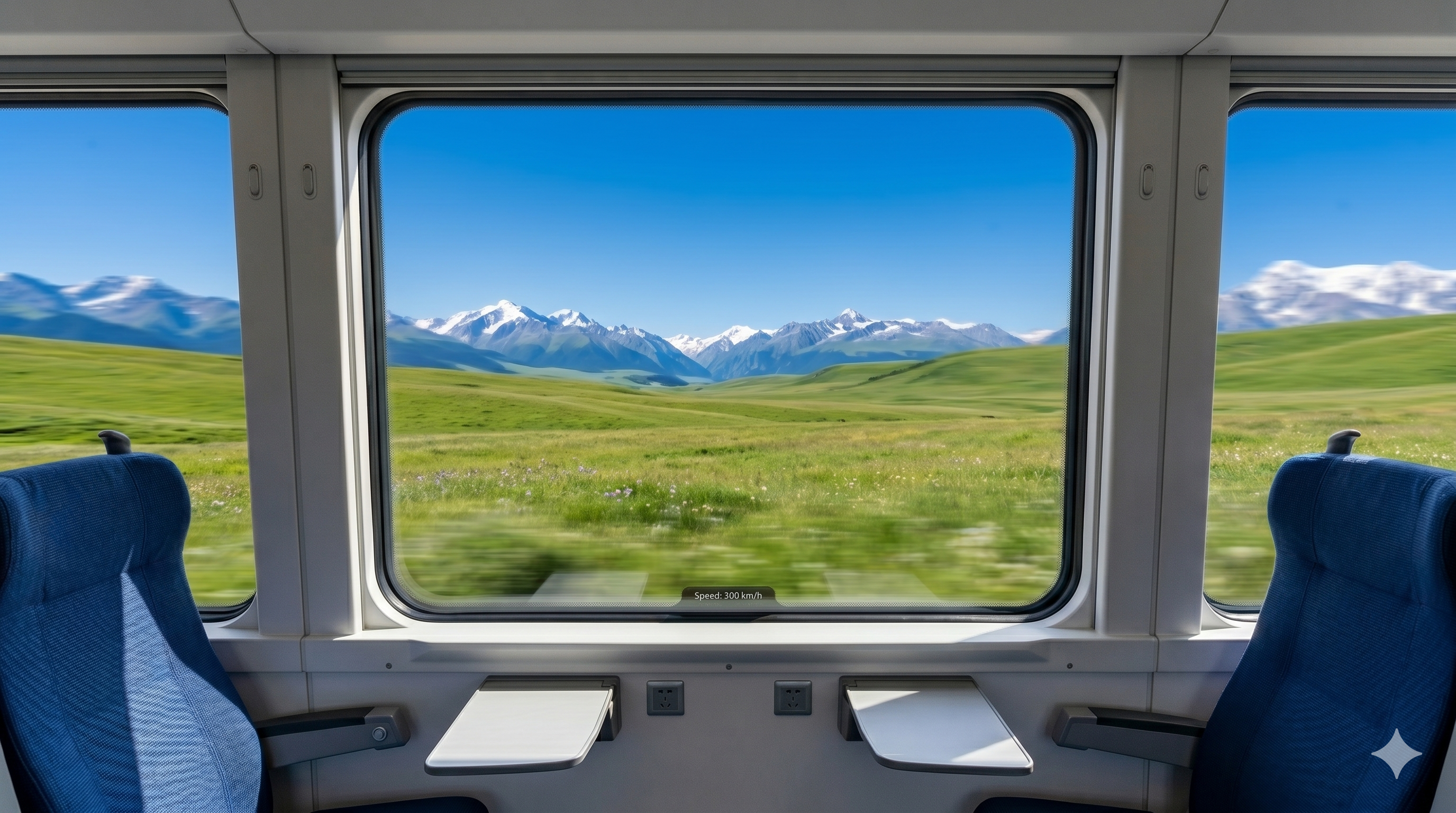
Train-window-all.png — template plus exterior plate, publication still.Main video and exercise exports
Stills hide edge halos; video reveals flicker at the mullions and whether blur direction matches forward travel. viedo.mp4 is the keeper; the exercise-video trio logs iterations (there is no exercise-video2.mp4—discarded mid-stream). Embed them below for side-by-side review.
viedo.mp4 — main composite (filename as stored).exercise-video1.mp4 — pass 1: frame edge and blur direction.exercise-video3.mp4 — pass 3: exposure after swapping exterior plate.exercise-video4.mp4 — pass 4: final exterior swap before locking viedo.mp4.Publishing, accessibility, and search snippets
Each embed uses controls, playsinline, and preload="metadata" so mobile visitors are not forced into fullscreen autoplay. Posters point at stills that already appear in the article, which gives crawlers textual context even when video bytes are large. The page title and meta description come from data/articles/in-car-view-train-window-scenery.json; body copy repeats natural phrases like “high-speed train window” in headings instead of hiding keywords in invisible spans.
For Google Search Console I submit only the article URL—the MP4s are assets, not separate landing pages. Structured data inherits the site-wide Article template generated by build-articles.mjs, with heroImage set to the composited still so social cards show the full cabin plus mountains, not a black-window template.
Boundary vs the parallax phone demo
Travel-through parallax phone stacks PNG layers with handheld parallax; this study uses one cabin “shell” and swaps horizontal exterior media—closer to a film window insert than to gyro-driven depth. Both sell travel, but the tech paths stay separate on the home carousel.
What I did not ship
No official rail branding, no purchasable UI kit, no live GPS or timetable feed. Speed text is decorative. Commercial reuse needs your own clearances for marks, likeness, and route claims, plus rewritten copy.
Reuse checklist
- Export a stable interior template with empty panes, then separate horizontal plates with consistent motion blur.
- Align plate perspective to each pane; adjust seat highlights when exterior brightness shifts.
- Keep one main MP4 plus a few labeled exercise exports, and publish an 800+ word note explaining keep/delete—better for SEO and “substantial content” reviews than bare video links.
Assets stay beside original/in-car-view/ with relative embed paths so GitHub Pages and local WAMP mirrors behave the same.